After purchasing a ChatGPT self-service top-up on EzSub, open the self-service top-up page, retrieve and submit the code for the account you want to top up, then check the account and subscription plan before confirming your request.
Haven't purchased yet? Visit the ChatGPT self-service top-up page to see the available plans. If you have already purchased, follow the steps below.
Jump to a step: Before you start · Open the top-up page · Copy the account code · Verify your account · Confirm the top-up
Before you start
Use a computer and sign in to the ChatGPT account you want to top up before you begin. For the service covered by this guide, the account must not have an active membership subscription.
The account code may contain sign-in or session information. Keep it private: do not publish it, send it to other people or include it in unredacted screenshots. Submit it only on the EzSub self-service top-up page after checking the website address, as described in this guide.
Step 1: Open the top-up page
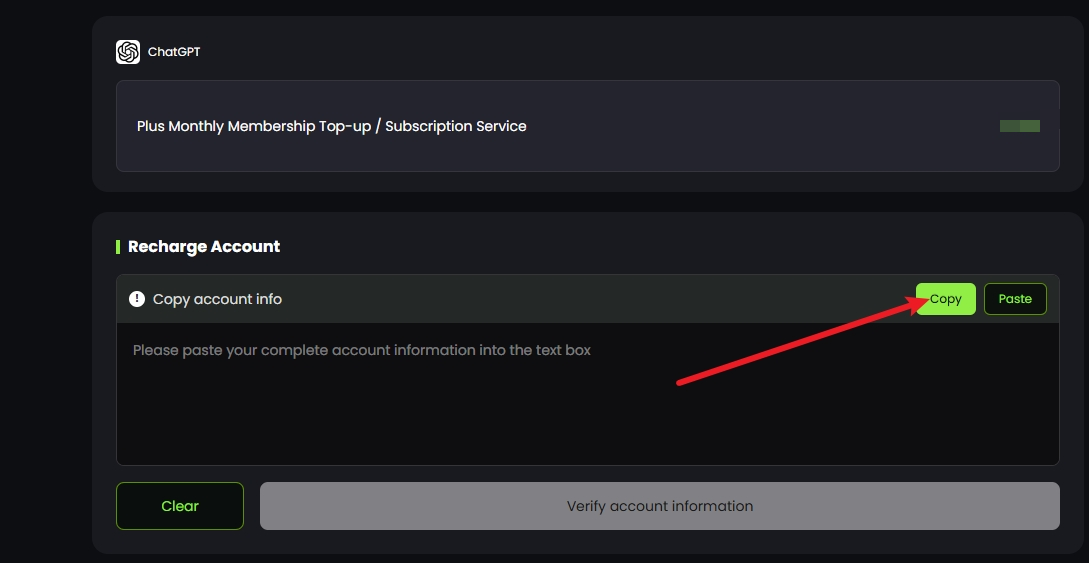
After purchasing, open the self-service top-up page and click the copy option on the right
Step 2: Copy the account code
You will be taken to the page that displays the account code.
Do not enable your browser's translation feature. Copy all the code shown on the page without leaving anything out or changing any part of it.

Step 3: Verify your account
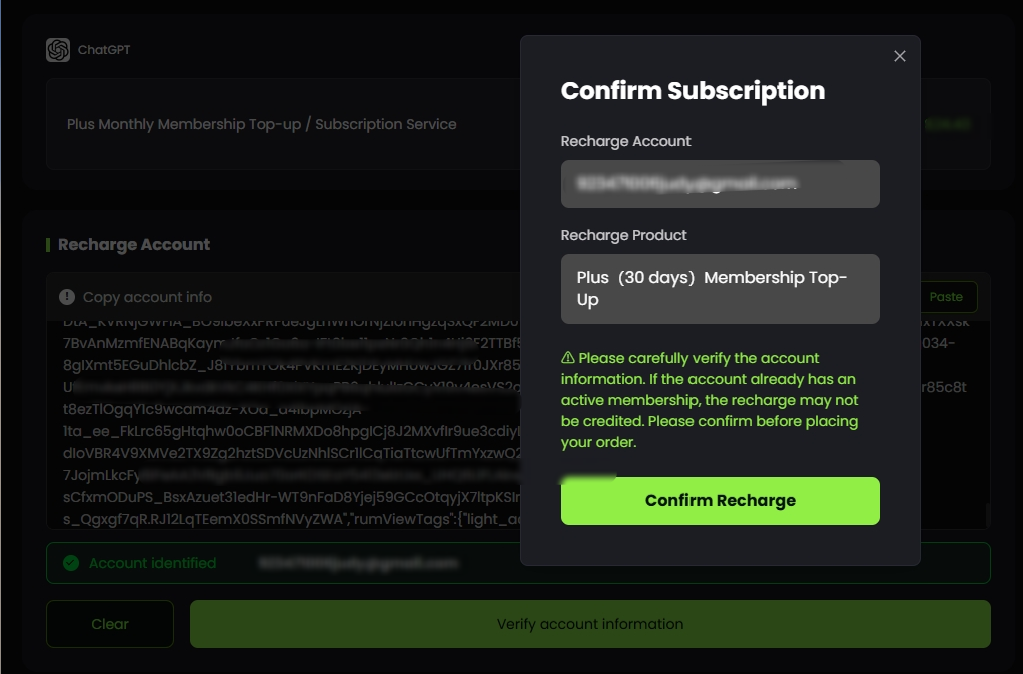
Return to the top-up page, paste the code into the text box and click the account verification button
Step 4: Confirm the top-up
Check the account and subscription plan shown on the page. Once you have confirmed that both are correct, click the confirmation button to submit your top-up request.
Check the account carefully. You cannot switch to a different account after submitting the request.
Submitting a top-up request does not mean the subscription is already active. Check the processing result on the order page and verify the membership status in the corresponding ChatGPT account.
To view or choose another subscription plan, return to the ChatGPT self-service top-up page.